USB 2.0, USB 3.0, and USB-C are often confused, but they are not the same thing. USB 2.0 and USB 3.0 mainly refer to data transfer standards, while USB-C describes the connector shape. USB 3.0 offers much faster transfer speeds than USB 2.0, making it better for large files and external storage. USB-C is smaller, reversible, and easier to use. It can also support faster charging through USB Power Delivery. However, not every USB-C port offers the same speed or features. Always check your device, cable, charger, and port specifications before choosing the right USB connection.
1. USB 2.0, USB 3.0, and USB-C Actually Mean Different Things
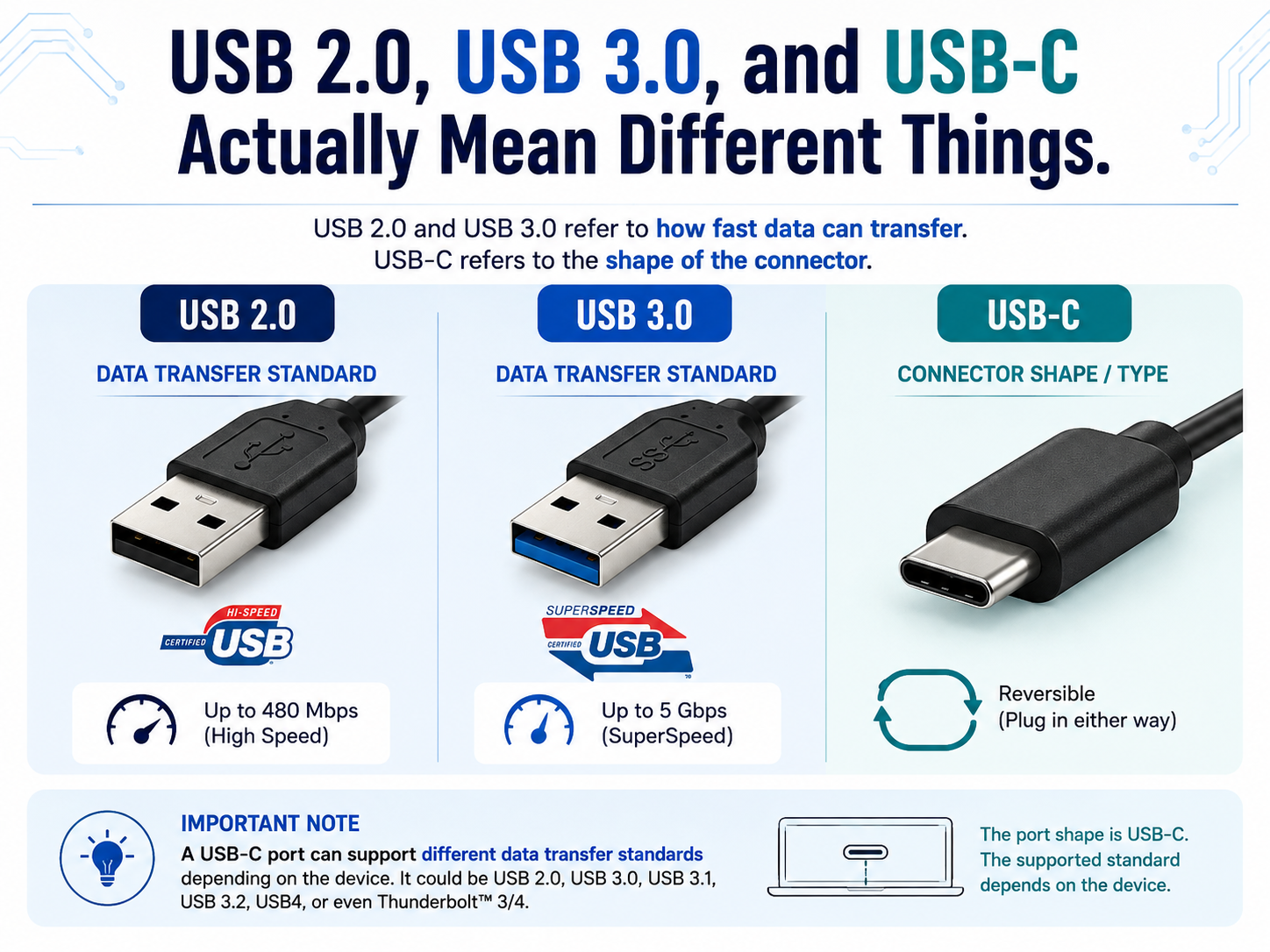
A common mistake is thinking that USB 2.0, USB 3.0, and USB-C are all the same type of thing. In reality, they describe different parts of USB technology.
USB 2.0 and USB 3.0 mainly refer to data-transfer standards. They tell you how quickly data can move between devices and, in some cases, how much power the connection can provide. USB-C, on the other hand, refers to the physical connector shape.
This means a USB-C port does not automatically guarantee very high speed. A USB-C port can support USB 2.0, USB 3.x, USB4, or other specifications depending on the device. Two USB-C ports can look exactly the same but offer very different performance.
The same applies to cables. Some USB-C cables are designed mainly for charging, while others support fast data transfer, video output, or higher power delivery.
For this reason, you should not judge a port only by its appearance. Always check the specifications of the laptop, phone, charger, cable, or accessory you are using.
Understanding this difference makes it much easier to choose the right USB cable or device and avoid paying extra for features your equipment does not actually support.
2. Data Transfer Speed Comparison
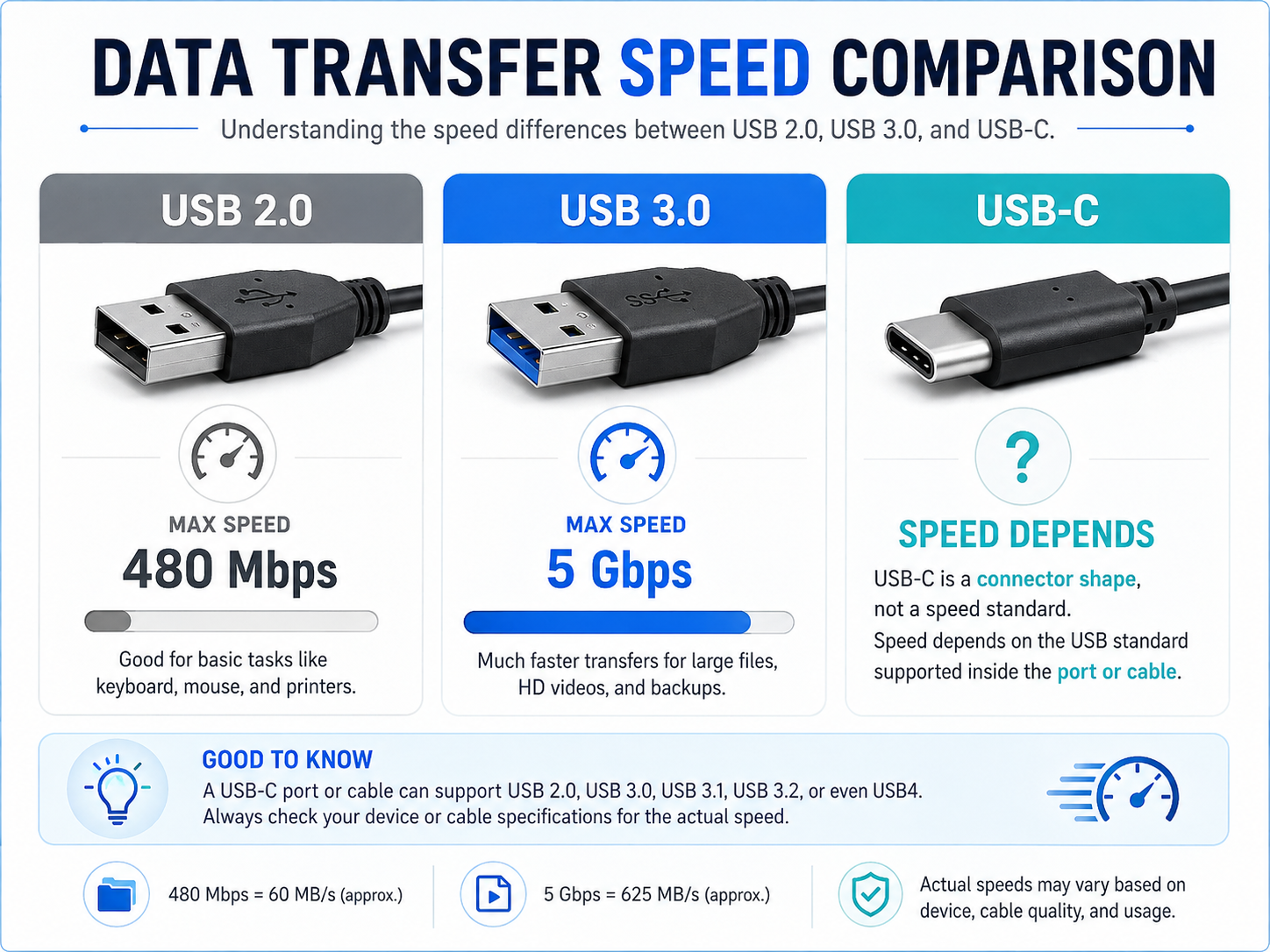
One of the biggest differences between USB 2.0 and USB 3.0 is data-transfer speed. USB 2.0 has a theoretical maximum speed of 480 Mbps, while the original USB 3.0 standard can reach up to 5 Gbps.
This difference can be very noticeable when transferring large files. For example, moving videos, backups, or large folders to an external SSD or flash drive can take much longer over USB 2.0 than over a faster USB connection.
However, the maximum speed written on the specification is not always the speed you will see in real use. The actual performance depends on several factors, including the storage device, cable quality, computer hardware, and USB controller.
USB-C itself does not have one fixed transfer speed. A USB-C connection can run at slower USB 2.0 speeds or support much faster USB standards. This is why two devices with USB-C ports can perform very differently.
If you regularly transfer large files, use external SSDs, or work with high-resolution video, choosing a port and cable that support a faster USB standard can save a lot of time.
For basic devices such as keyboards or mice, USB 2.0 is usually still more than enough because these accessories do not need extremely high bandwidth.
3. Connector Design and Ease of Use
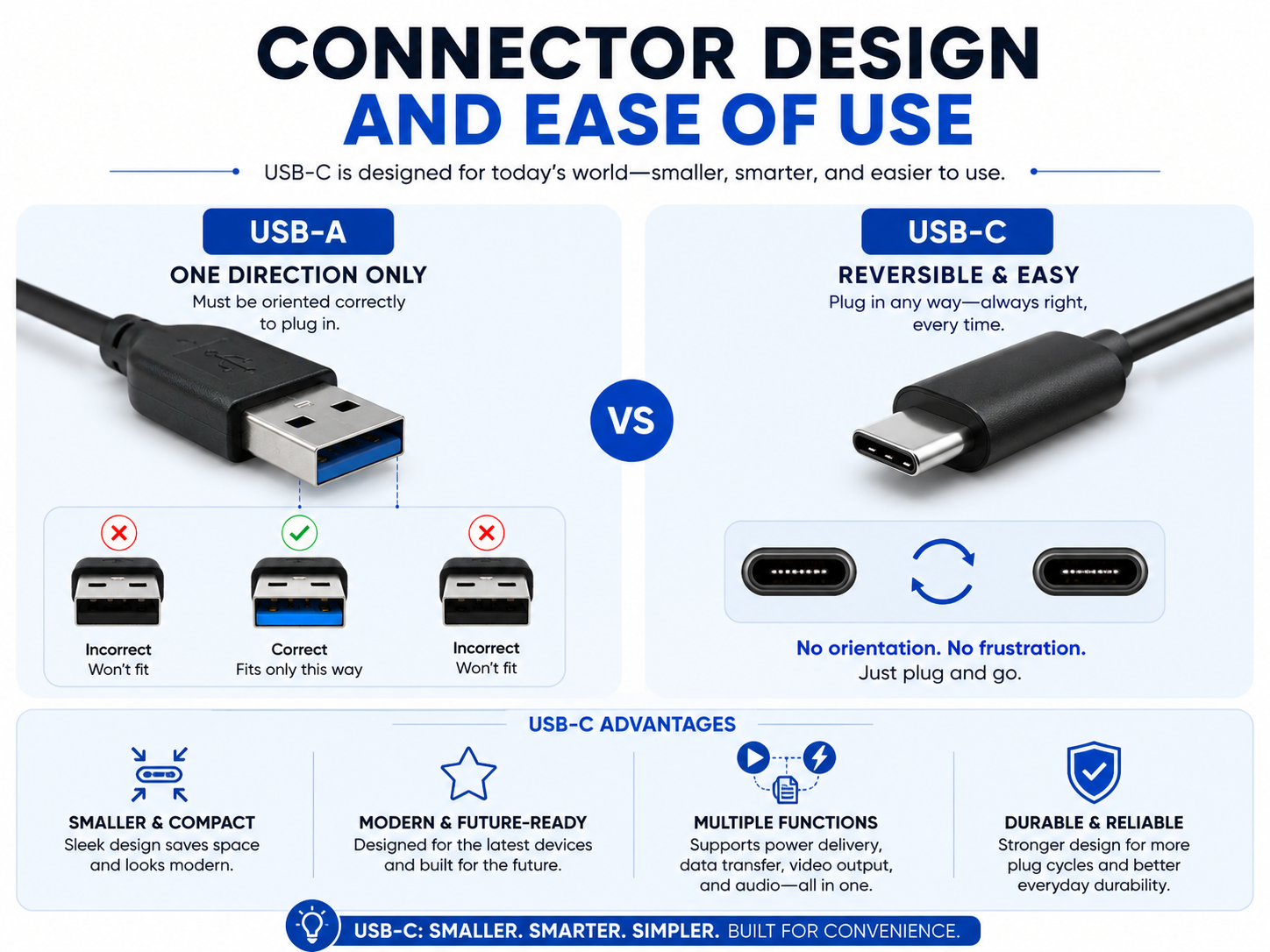
USB connector design has changed a lot over the years. Traditional USB-A ports are large and rectangular, and the plug usually has to be inserted in the correct direction. Almost everyone has experienced trying to plug in a USB cable, flipping it over, and then trying again.
USB-C solves this problem with a reversible connector. You can insert it either way, which makes it much more convenient for everyday use.
USB-C is also smaller than the traditional USB-A connector. This allows manufacturers to use it on thin laptops, smartphones, tablets, and other compact devices where larger ports would take up too much space.
Another advantage is that USB-C can support several types of functionality through one port. Depending on the device, a single USB-C connection may handle charging, data transfer, video output, and accessories.
However, the connector shape alone does not tell you exactly what the port can do. Some USB-C ports may support only charging and basic data, while others support fast data transfer, external displays, or advanced features.
This is why it is important to check the device specifications instead of assuming that every USB-C port offers the same capabilities.
Overall, USB-C is easier to use and more flexible, which is why it has become common on modern devices.
4. Charging Speed and Power Delivery
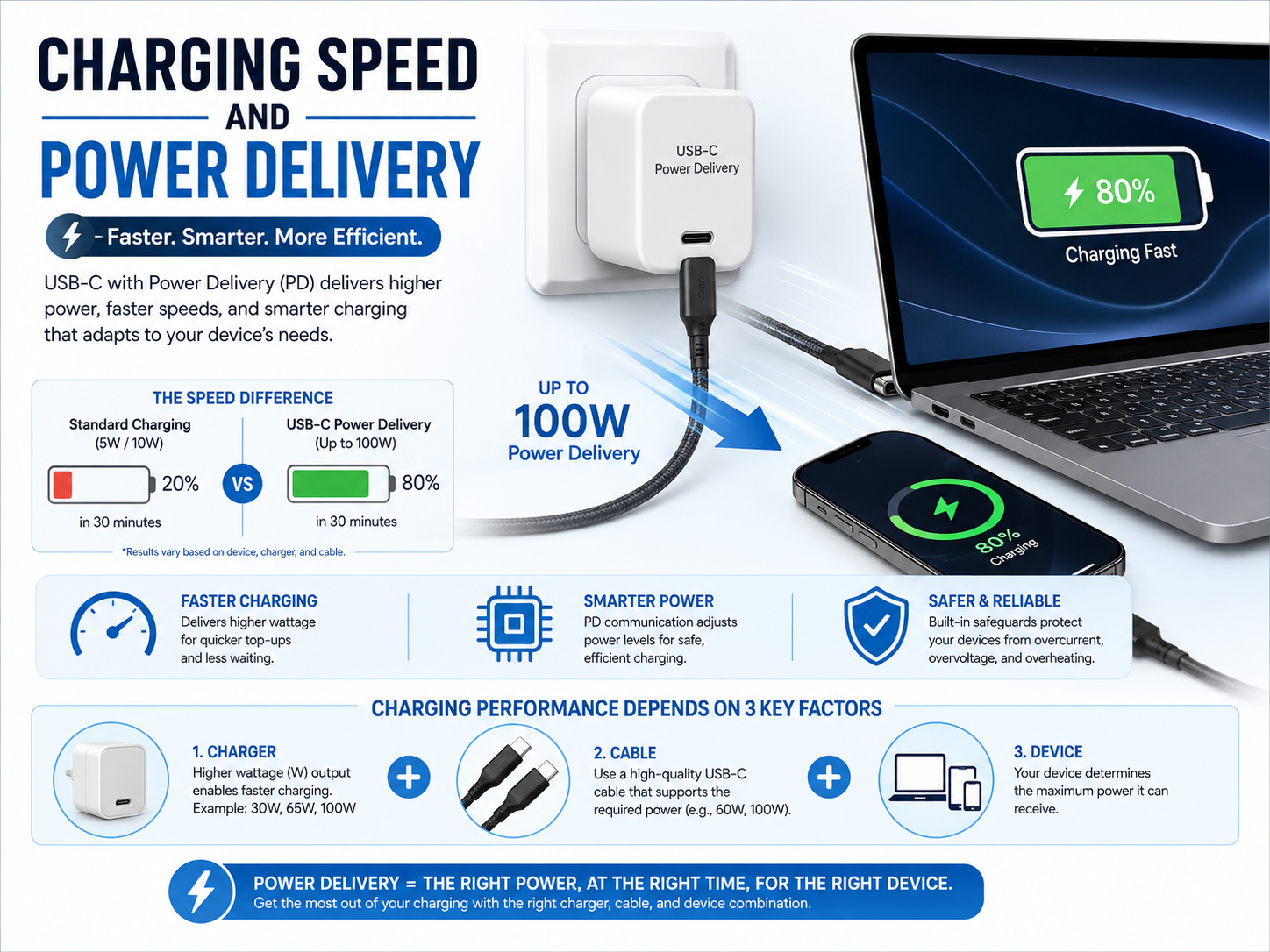
Charging is another area where USB-C can offer major advantages. Modern USB-C connections may support USB Power Delivery, often shortened to USB PD, which allows compatible devices to receive much more power than older USB connections.
This makes USB-C useful not only for charging phones but also for tablets, laptops, portable displays, power banks, and other devices.
The amount of power you actually receive depends on the charger, cable, and device. All three need to support the required power level. Using a high-powered charger with a cable that supports only lower power can limit charging performance.
This is why simply seeing a USB-C connector does not automatically mean that a device supports fast charging.
Older USB 2.0 connections can still provide power, but they were not designed for the high-power charging needs of many modern devices.
USB-C Power Delivery also allows devices and chargers to negotiate the amount of power required. This helps compatible devices receive suitable voltage and current rather than using one fixed power level.
If you want to charge a laptop through USB-C, always check the laptop’s required wattage and make sure the charger and cable are rated appropriately.
A good USB-C charging setup can reduce the number of separate chargers you need and make traveling with multiple devices much more convenient.
5. Compatibility and Which USB Should You Choose?
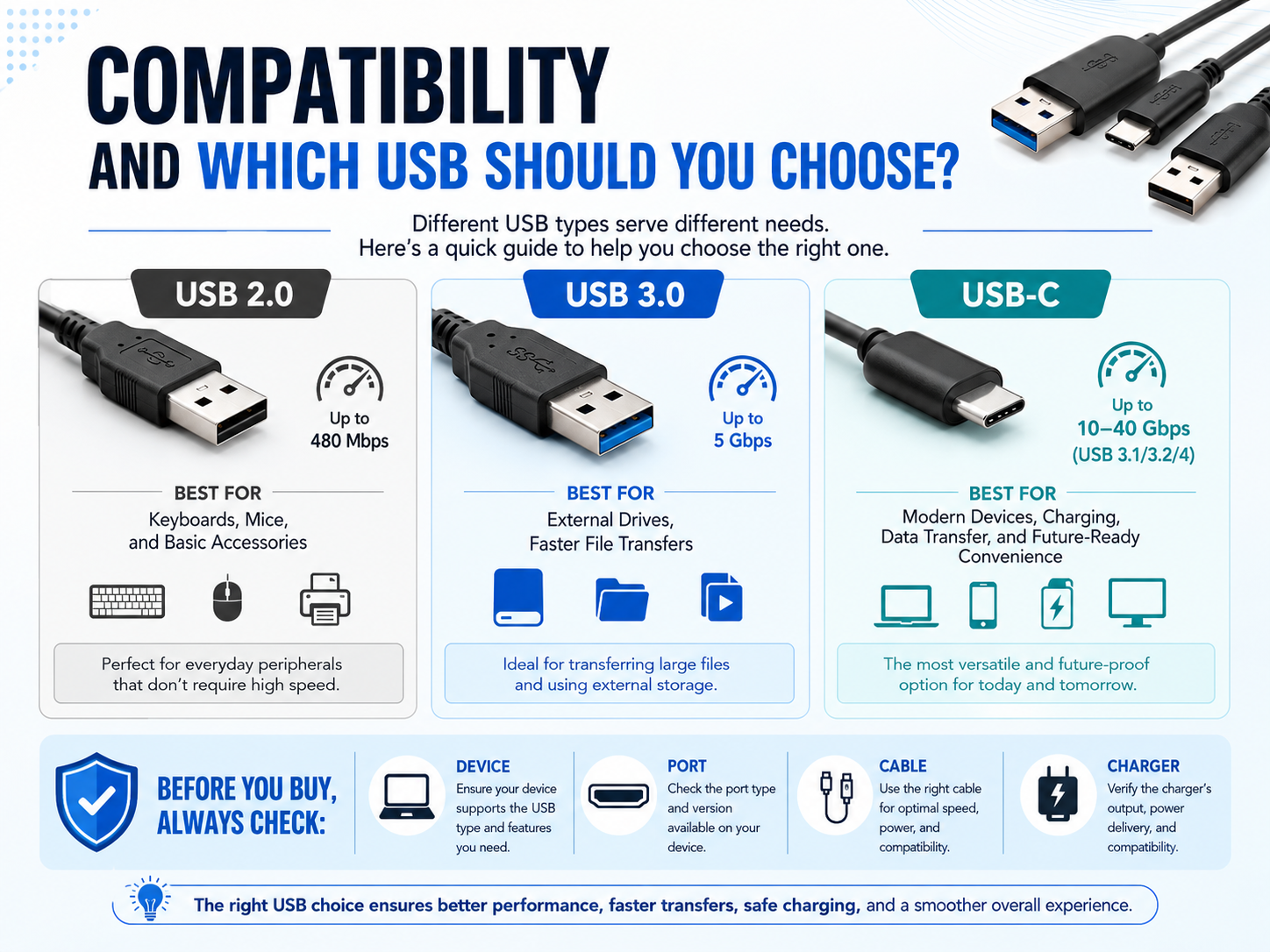
The right USB connection depends on what you plan to do with it. There is no need to use the fastest USB standard for every device.
For simple accessories such as keyboards, mice, printers, or basic flash drives, USB 2.0 can still work perfectly well. These devices usually do not require large amounts of bandwidth.
If you regularly transfer large files, connect external SSDs, or use high-speed storage devices, USB 3.x is a much better choice because it can provide significantly faster data transfers.
USB-C is especially useful for modern laptops, phones, tablets, monitors, docking stations, and chargers because one connector can support many different functions.
Compatibility is important, though. A USB-C cable may physically fit a port but still not support the speed, charging power, or video features you expect. You may also need an adapter when connecting newer USB-C devices to older USB-A ports.
Before buying a cable or accessory, check the supported USB standard, charging wattage, and any required video capabilities.
For most new devices, USB-C is the more convenient and future-friendly connector. But older USB standards are still useful, and replacing working accessories is not always necessary.
Choosing the right option means matching the USB connection to your actual needs instead of focusing only on the newest technology.
Disclaimer
The information provided in this article is for general educational and informational purposes only. USB performance, charging speed, power delivery, video support, and compatibility can vary depending on the device, port, cable, charger, and USB standard being used.
A USB-C connector does not automatically guarantee high-speed data transfer, fast charging, or video output. Always check the official specifications of your computer, phone, charger, cable, or accessory before purchasing or connecting devices.
We are not responsible for data loss, device damage, charging issues, compatibility problems, or other issues that may occur while following the information in this guide. For important hardware connections or high-power charging, use certified and compatible cables and accessories whenever possible.