Choosing between a laptop and a desktop depends on your needs. Desktops usually offer stronger performance, better cooling, easier upgrades, and good long-term value. Laptops are more portable, convenient, and include a display, keyboard, battery, and webcam in one device. For students, travel, and office work, a laptop may be better. For gaming, editing, and future upgrades, a desktop is often the stronger choice.
1. Performance and Power
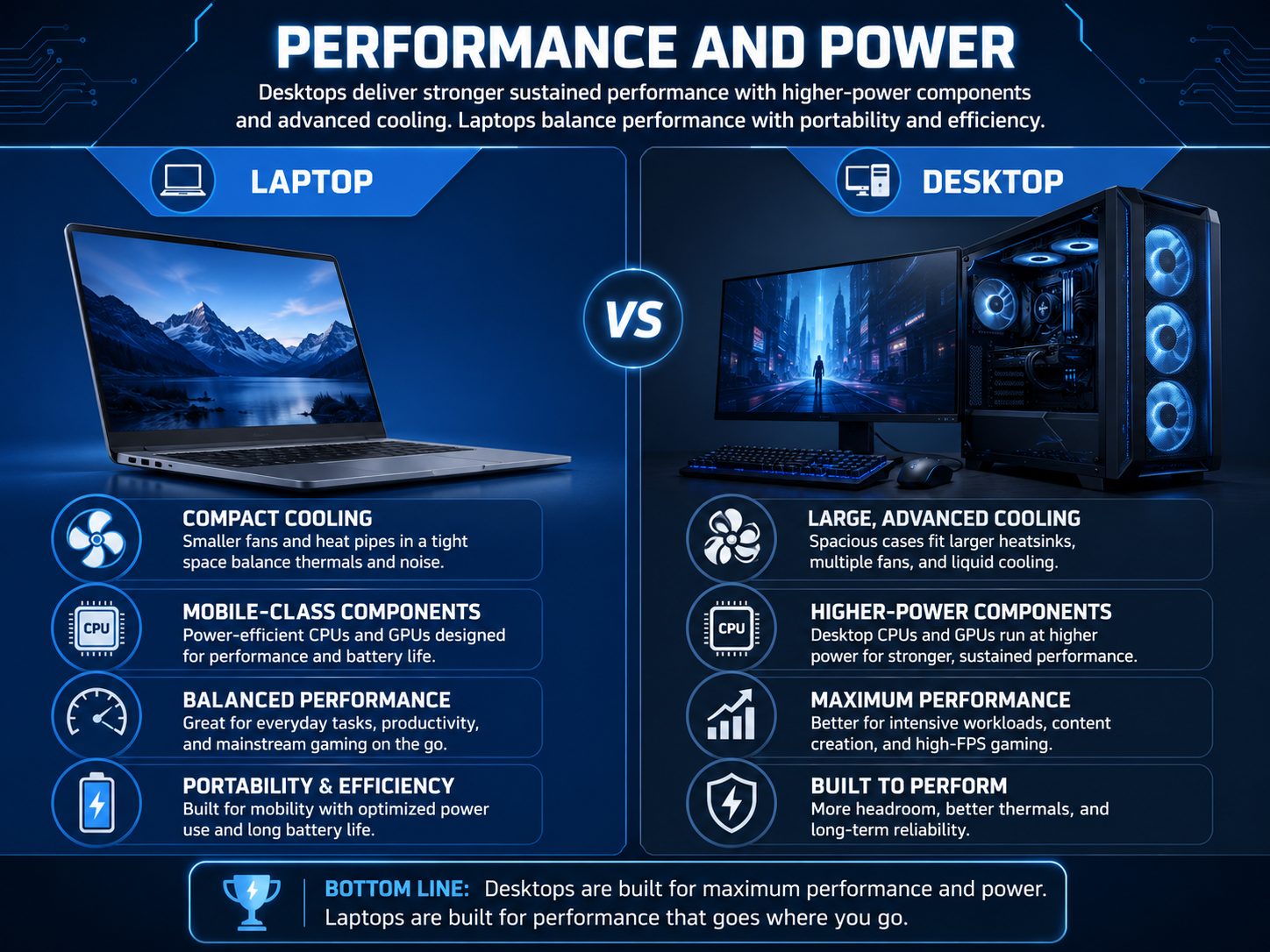
Performance is one of the biggest differences between laptops and desktops. A desktop computer usually has more space for larger cooling systems, higher-power processors, and powerful graphics cards. Because of this, desktops can often maintain strong performance for longer periods without overheating as quickly.
This makes desktops especially useful for demanding tasks such as gaming, video editing, 3D rendering, programming, and other professional workloads. Desktop components also have fewer power restrictions because the system runs directly from a wall outlet instead of depending on a battery.
Laptops are designed differently. They need to balance performance, heat, battery life, weight, and size. Modern laptops can still be very powerful, and high-end models can handle gaming, editing, and professional software comfortably. However, a thin laptop may reduce processor or graphics performance during long, heavy workloads to control temperature and power usage.
For normal tasks such as browsing, office work, online classes, streaming, and video calls, both laptops and desktops can provide excellent performance.
The best choice depends on your workload. If you want maximum performance and do not need portability, a desktop is often the stronger option. If you want good performance in a compact system that you can carry anywhere, a laptop may be more practical.
2. Portability and Convenience
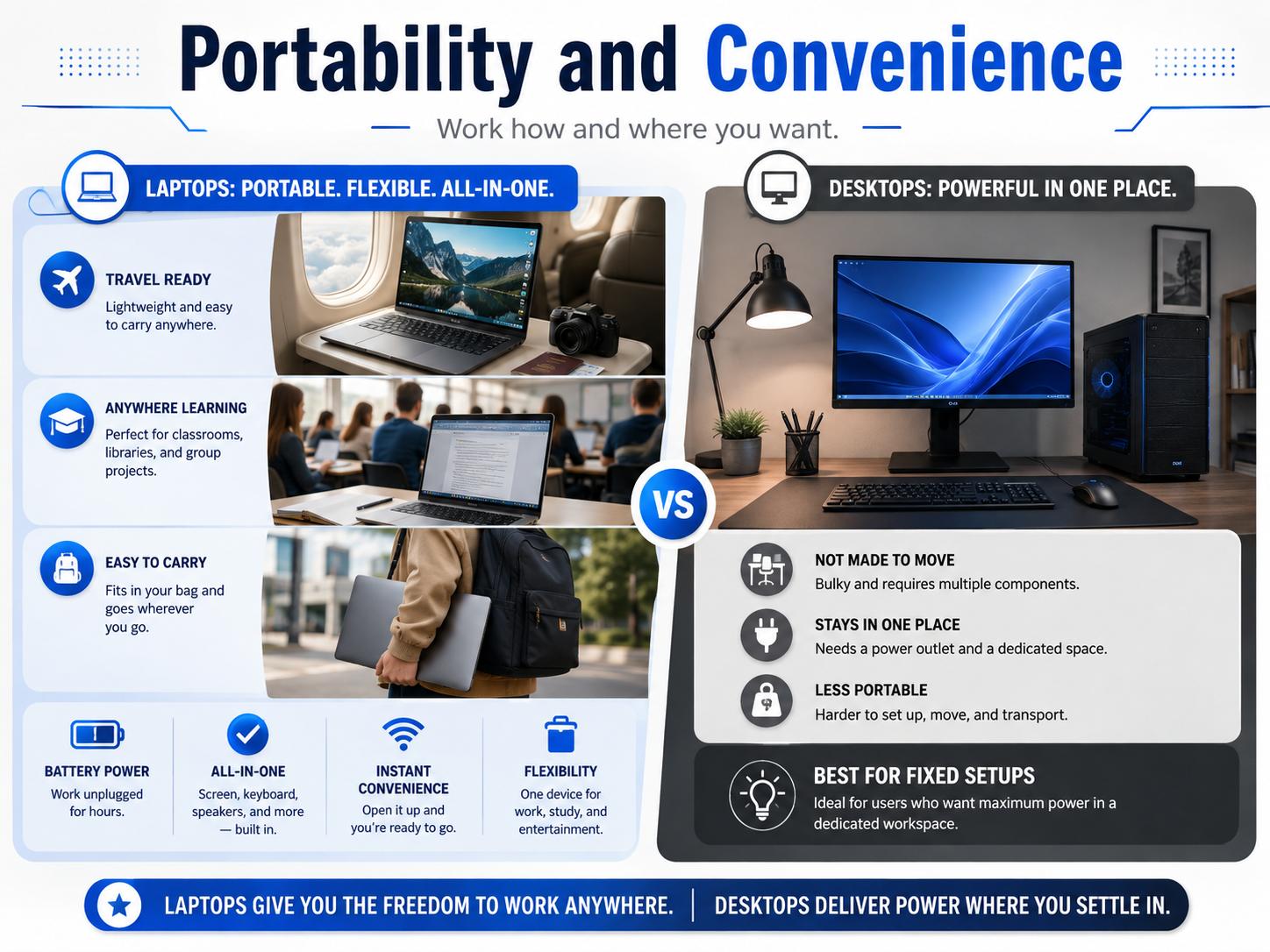
Portability is the biggest advantage of a laptop. A laptop combines the computer, display, keyboard, trackpad, speakers, webcam, and battery into a single device. You can close it, put it in a bag, and use it almost anywhere.
This makes laptops very useful for students, travelers, remote workers, freelancers, and people who frequently move between home, office, college, or other locations. You can work at a desk, attend an online meeting from another room, or carry the same computer while traveling.
The built-in battery is another important advantage. If electricity goes out temporarily, a laptop can continue running as long as the battery has enough charge. A normal desktop usually shuts down unless it is connected to a UPS or another backup power source.
Desktops are much less portable. A typical setup includes a separate monitor, keyboard, mouse, computer case, and several cables. Moving the entire system regularly can be inconvenient.
However, desktops may provide a more comfortable permanent workspace. You can use a large monitor, full-size keyboard, better speakers, and other accessories without worrying about carrying them.
If you need a computer that travels with you, a laptop is usually the better choice. If your computer will stay in one location and portability does not matter, a desktop can provide a comfortable and powerful setup.
3. Upgradeability and Repair
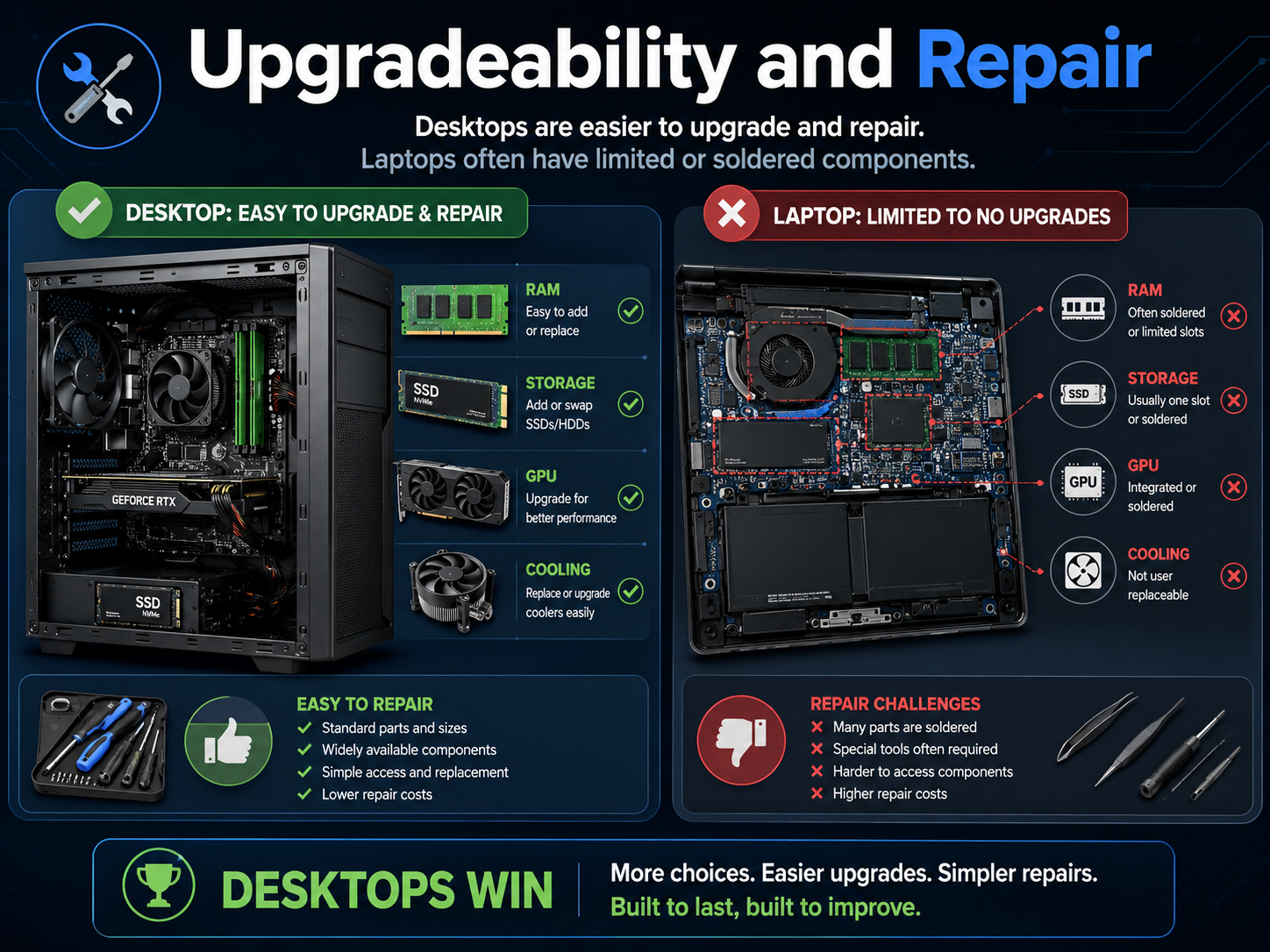
Upgradeability is an area where desktop computers usually have a major advantage. Most desktop PCs are designed with separate components that can be removed or replaced relatively easily.
Depending on the system, you may be able to upgrade the RAM, storage, graphics card, processor, cooling system, power supply, and other components. This allows you to improve the computer over time instead of replacing the entire system.
Desktop repairs can also be easier because individual parts are more accessible. If a storage drive or power supply fails, you may be able to replace only that component.
Laptops are more limited because everything must fit inside a thin and compact body. Some laptops allow RAM or storage upgrades, while others have memory or other components permanently soldered to the motherboard. This can make future upgrades difficult or impossible.
Laptop repairs can also be more complicated because parts may be model-specific. A damaged screen, keyboard, motherboard, or charging port may require specialized replacement parts and professional repair.
This does not mean laptops are a bad long-term choice. Many modern laptops can last for years when they are properly maintained and purchased with enough RAM and storage from the beginning.
If you enjoy upgrading your computer or want flexibility for future hardware changes, a desktop is generally better. If portability is more important, carefully check a laptop’s upgrade options before buying.
4. Price and Overall Value
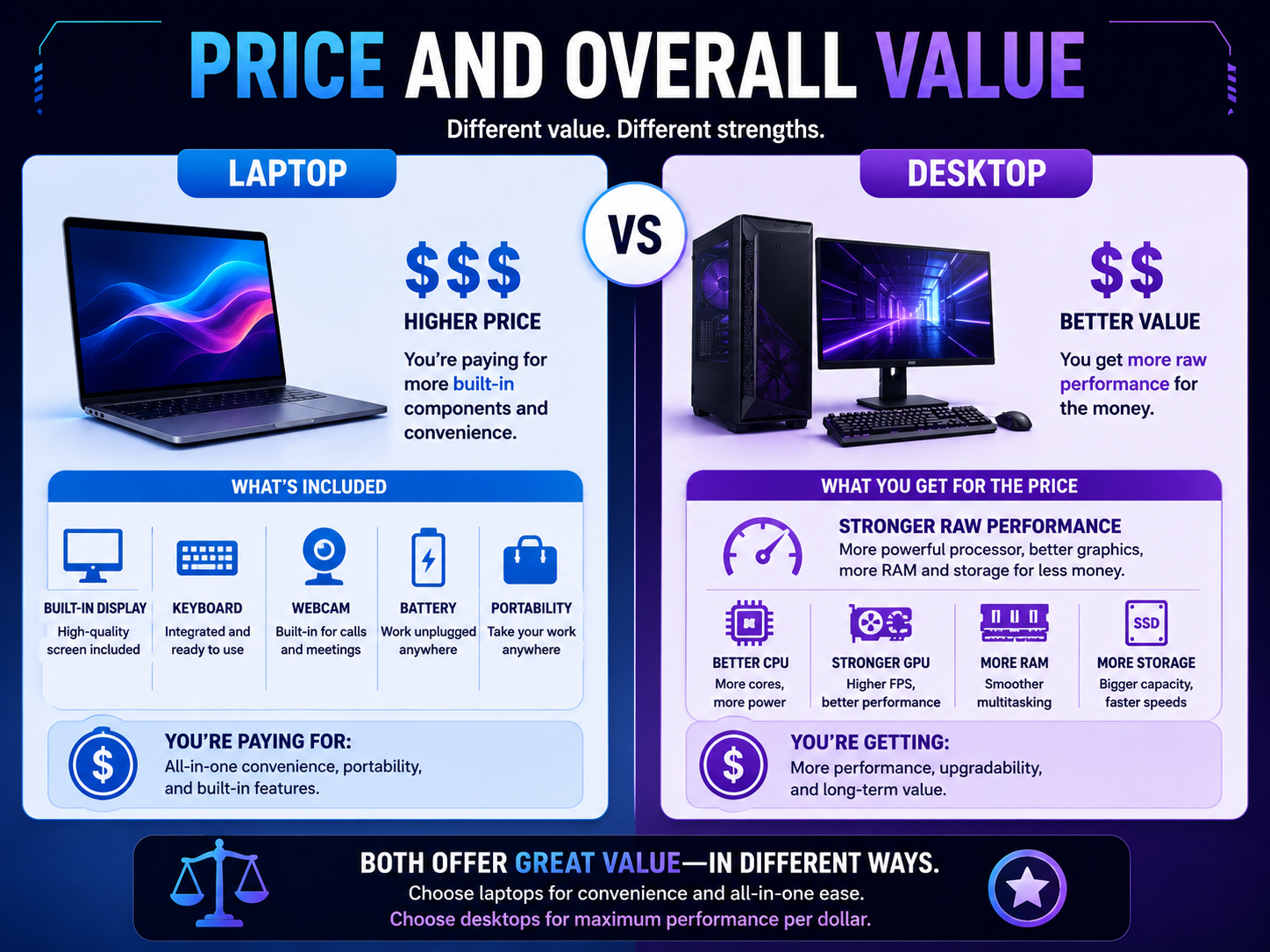
Price is not always as simple as saying that one type of computer is cheaper than the other. The real value depends on what is included and what you actually need.
A desktop can often provide stronger hardware performance for a similar budget, especially if you already own a monitor, keyboard, mouse, and other accessories. This can make desktops attractive for gaming, content creation, or performance-focused users.
However, a new desktop setup may require additional purchases. A monitor, webcam, speakers, keyboard, mouse, and sometimes Wi-Fi accessories can add to the total cost.
A laptop already includes most of these features. You get a display, keyboard, trackpad, webcam, speakers, battery, and wireless connectivity in one device. This makes the overall package convenient and can provide good value for students, office users, and people who need a portable computer.
Another factor is long-term value. A desktop may be easier to upgrade instead of replacing, which can extend its useful life. Laptops may have fewer upgrade options, but their portability can be worth more to users who need to work from different locations.
Do not compare laptops and desktops based only on the processor name or price tag. Consider the full setup, display quality, storage, RAM, graphics performance, accessories, and future upgrade needs.
The better value is the computer that matches your actual use without making you pay for features you do not need.
5. Which One Is Better for Your Needs?
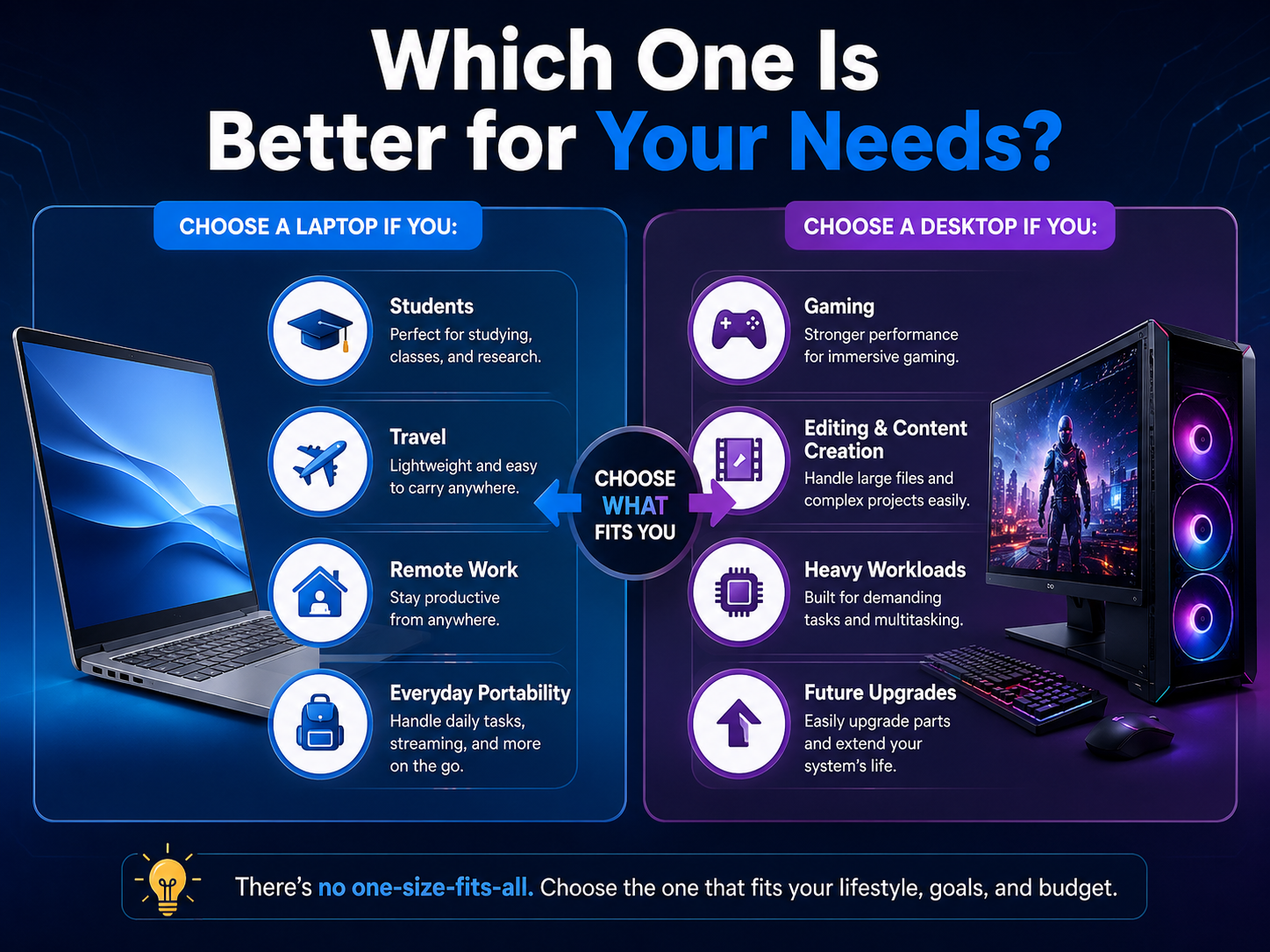
There is no single winner in the laptop versus desktop comparison because different users have different priorities.
A laptop is usually the better option for students, office workers, travelers, remote workers, and anyone who needs to carry their computer regularly. It provides a complete system in one portable device and can work even when you are away from a power outlet for a limited time.
For browsing, documents, online classes, streaming, video calls, and general productivity, a good laptop can easily handle everyday tasks.
A desktop is often a better choice for users who care more about maximum performance, cooling, upgrades, and long-term flexibility. Gamers, video editors, 3D artists, developers, and other users with demanding workloads may benefit from the extra performance and upgrade options available in a desktop system.
Your available space also matters. A laptop can fit on a small table and be stored easily, while a desktop requires a permanent workspace.
Before choosing, think about where you will use the computer, which applications you run, whether you need gaming or professional performance, and whether future upgrades are important.
For some users, owning both can even make sense: a desktop for demanding work at home and a laptop for portability.
The best computer is not simply the most powerful one. It is the one that fits your daily routine, budget, and long-term needs.
Disclaimer
The information provided in this article is for general educational and informational purposes only. Laptop and desktop performance, price, battery life, upgradeability, repair options, and overall value can vary significantly depending on the manufacturer, model, hardware configuration, and intended use.
Before purchasing or upgrading a computer, always check the official specifications, warranty conditions, compatibility information, and repair or upgrade options provided by the manufacturer.
We are not responsible for financial loss, hardware damage, compatibility issues, data loss, or other problems that may occur as a result of purchasing, repairing, or upgrading a computer based on this guide. If you are unsure which system is suitable for your needs, consider comparing multiple models or consulting a qualified computer technician before making a final decision.